
Tip Tuesday
AI is an Accountant’s New Best Friend: Extracting Tables from PDFs & Screen Caps in Seconds 📊🤖
Use AI tools like Gemini to instantly convert complex tax table screen caps or PDFs into clean Excel spreadsheets in seconds. Save hours of manual data entry while keeping sensitive PII secure. Ready to streamline your workflows? Connect with ConstrucTech Consulting today!


AI is an Accountant’s New Best Friend: Extracting Tables from PDFs & Screen Caps in Seconds 📊🤖
Let’s be honest: we’ve all been there. You’re staring down a massive, multi-page PDF or a dense government document filled with complex data tables, and you need that information neatly organized into an Excel spreadsheet yesterday.
Historically, your options were painful: manual data entry (hello, typos), wrestling with clunky PDF converters that turn columns into random text soup, or writing custom parsing scripts.
Enter the modern era of AI. Tools like Gemini can now act as your virtual data entry assistant, doing the heavy lifting in literal seconds. ⏱️
From Screen Cap to Clean Excel Sheet in 3 Clicks
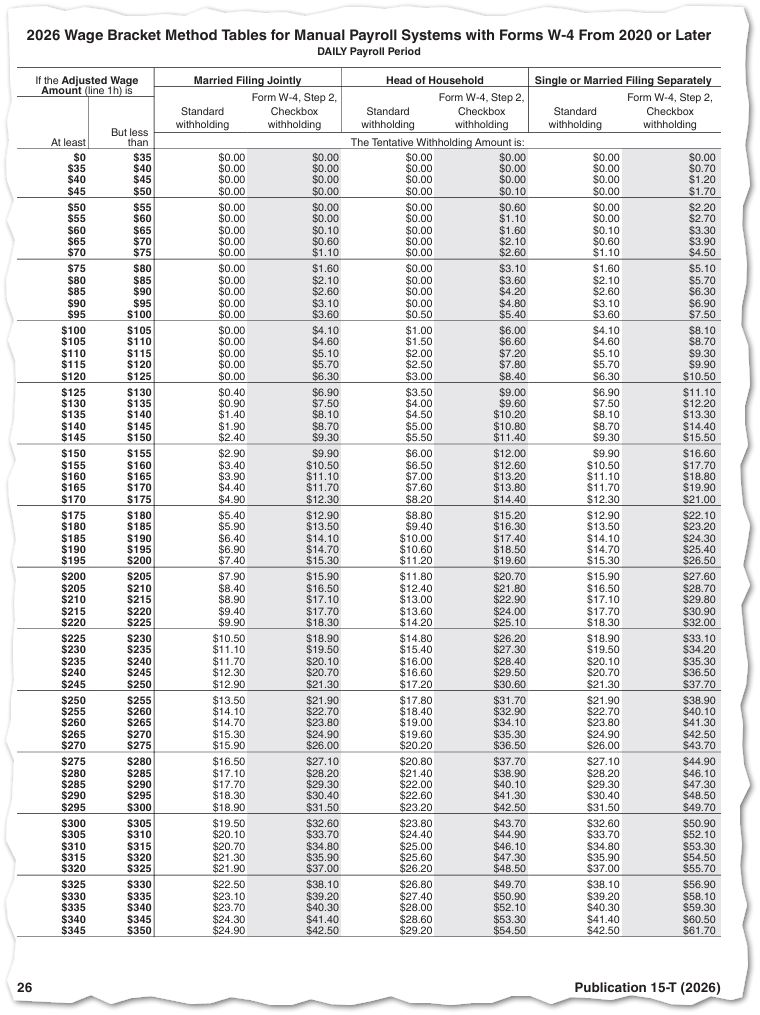
To show you how easy this is, I tested it out recently with a standard wage bracket tax table. Instead of manually typing out rows of withholding amounts or fighting with a PDF layout tool, I simply took a quick screen capture of the table:
Next, I dropped that screen cap right into Gemini and gave it a straightforward prompt: "Extract this table and return an excel spreadsheet."
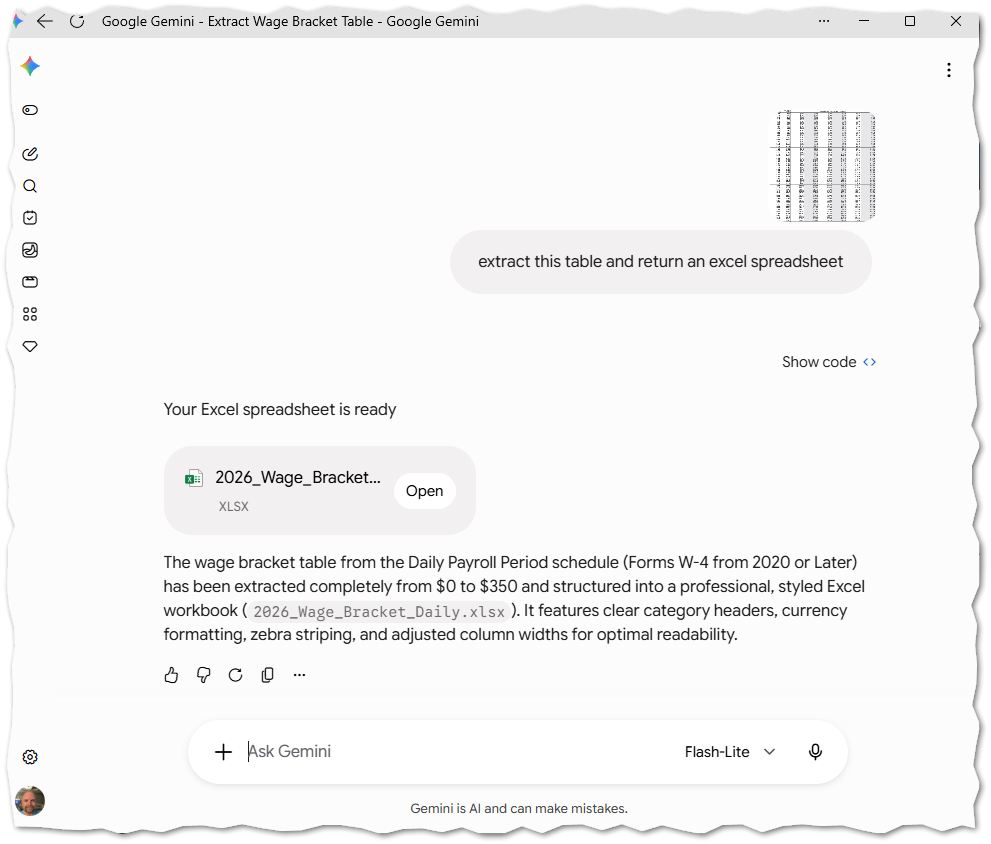
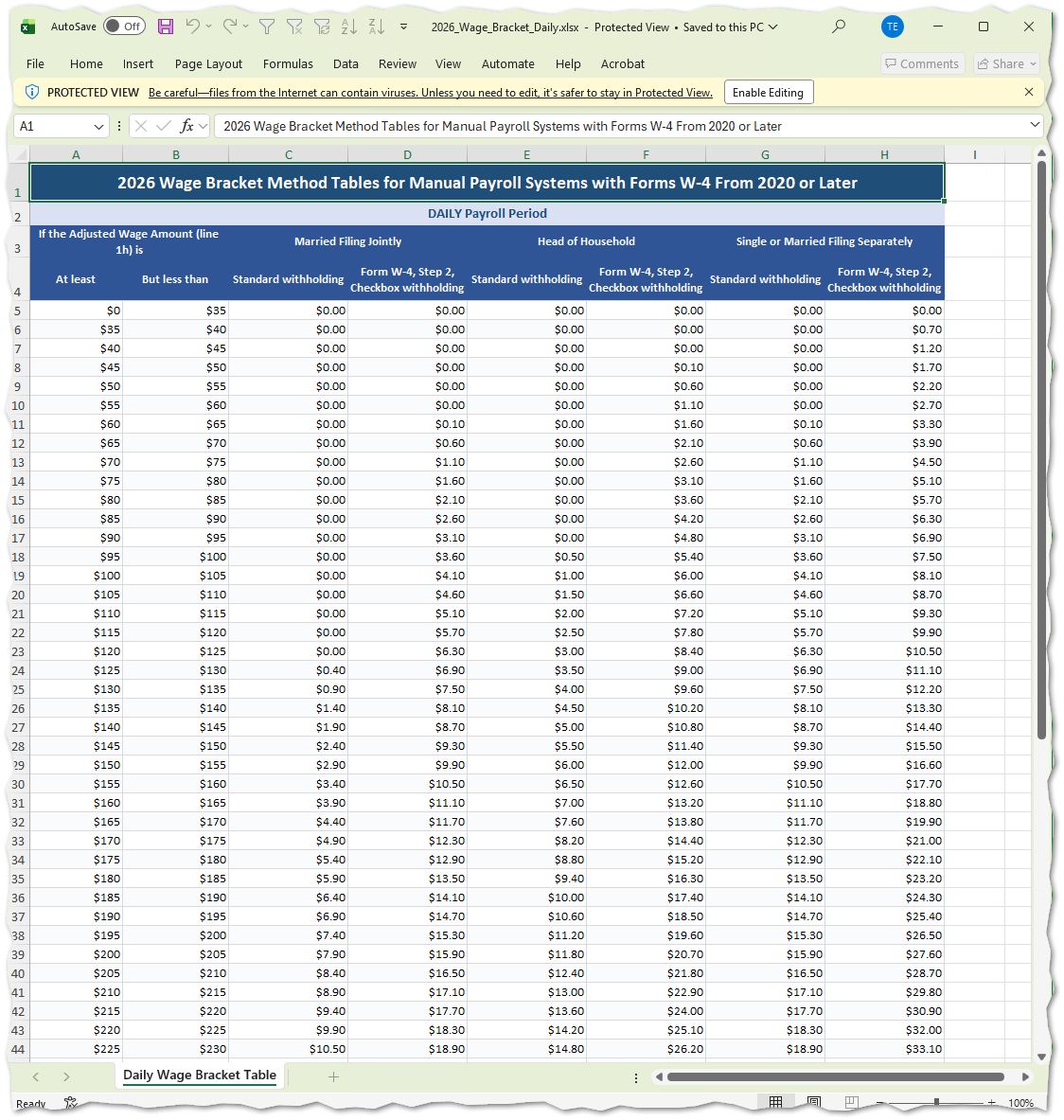
Boom—just like that, the AI parsed the headers, columns, and numbers, transforming the image into a formatted, ready-to-use .xlsx file. The exact same magic works if you upload a raw PDF directly into the chat. 🪄
Here is what the final output looked like straight out of the box:
⚠️ A Quick Word of Caution on Data Privacy
While AI makes data extraction effortless, always practice good data hygiene.
Never upload documents containing Personally Identifiable Information (PII)—such as actual employee Social Security Numbers, bank accounts, or sensitive client financial records—into public or standard AI environments. Always sanitize, anonymize, or use dummy data when testing out prompts and extractions. Safety first! 🔒
Ready to Streamline Your Workflow?
Automating the small, tedious bottlenecks in your daily accounting and ERP operations frees up hours for what actually matters. Whether you're looking to optimize your enterprise workflows or build smarter data pipelines, ConstrucTech Consulting is here to help.
Website: www.constructech.io
LinkedIn: ConstrucTech Consulting
Got complex workflows or reporting challenges you want to automate? Don't waste time reinventing the wheel. Schedule a meeting with me or anyone on our team using our bookings link today, and let's talk solutions! 🤝
AI is an Accountant’s New Best Friend: Extracting Tables from PDFs & Screen Caps in Seconds 📊🤖
Let’s be honest: we’ve all been there. You’re staring down a massive, multi-page PDF or a dense government document filled with complex data tables, and you need that information neatly organized into an Excel spreadsheet yesterday.
Historically, your options were painful: manual data entry (hello, typos), wrestling with clunky PDF converters that turn columns into random text soup, or writing custom parsing scripts.
Enter the modern era of AI. Tools like Gemini can now act as your virtual data entry assistant, doing the heavy lifting in literal seconds. ⏱️
From Screen Cap to Clean Excel Sheet in 3 Clicks
To show you how easy this is, I tested it out recently with a standard wage bracket tax table. Instead of manually typing out rows of withholding amounts or fighting with a PDF layout tool, I simply took a quick screen capture of the table:
Next, I dropped that screen cap right into Gemini and gave it a straightforward prompt: "Extract this table and return an excel spreadsheet."
Boom—just like that, the AI parsed the headers, columns, and numbers, transforming the image into a formatted, ready-to-use .xlsx file. The exact same magic works if you upload a raw PDF directly into the chat. 🪄
Here is what the final output looked like straight out of the box:
⚠️ A Quick Word of Caution on Data Privacy
While AI makes data extraction effortless, always practice good data hygiene.
Never upload documents containing Personally Identifiable Information (PII)—such as actual employee Social Security Numbers, bank accounts, or sensitive client financial records—into public or standard AI environments. Always sanitize, anonymize, or use dummy data when testing out prompts and extractions. Safety first! 🔒
Ready to Streamline Your Workflow?
Automating the small, tedious bottlenecks in your daily accounting and ERP operations frees up hours for what actually matters. Whether you're looking to optimize your enterprise workflows or build smarter data pipelines, ConstrucTech Consulting is here to help.
Website: www.constructech.io
LinkedIn: ConstrucTech Consulting
Got complex workflows or reporting challenges you want to automate? Don't waste time reinventing the wheel. Schedule a meeting with me or anyone on our team using our bookings link today, and let's talk solutions! 🤝
AI is an Accountant’s New Best Friend: Extracting Tables from PDFs & Screen Caps in Seconds 📊🤖
Let’s be honest: we’ve all been there. You’re staring down a massive, multi-page PDF or a dense government document filled with complex data tables, and you need that information neatly organized into an Excel spreadsheet yesterday.
Historically, your options were painful: manual data entry (hello, typos), wrestling with clunky PDF converters that turn columns into random text soup, or writing custom parsing scripts.
Enter the modern era of AI. Tools like Gemini can now act as your virtual data entry assistant, doing the heavy lifting in literal seconds. ⏱️
From Screen Cap to Clean Excel Sheet in 3 Clicks
To show you how easy this is, I tested it out recently with a standard wage bracket tax table. Instead of manually typing out rows of withholding amounts or fighting with a PDF layout tool, I simply took a quick screen capture of the table:
Next, I dropped that screen cap right into Gemini and gave it a straightforward prompt: "Extract this table and return an excel spreadsheet."
Boom—just like that, the AI parsed the headers, columns, and numbers, transforming the image into a formatted, ready-to-use .xlsx file. The exact same magic works if you upload a raw PDF directly into the chat. 🪄
Here is what the final output looked like straight out of the box:
⚠️ A Quick Word of Caution on Data Privacy
While AI makes data extraction effortless, always practice good data hygiene.
Never upload documents containing Personally Identifiable Information (PII)—such as actual employee Social Security Numbers, bank accounts, or sensitive client financial records—into public or standard AI environments. Always sanitize, anonymize, or use dummy data when testing out prompts and extractions. Safety first! 🔒
Ready to Streamline Your Workflow?
Automating the small, tedious bottlenecks in your daily accounting and ERP operations frees up hours for what actually matters. Whether you're looking to optimize your enterprise workflows or build smarter data pipelines, ConstrucTech Consulting is here to help.
Website: www.constructech.io
LinkedIn: ConstrucTech Consulting
Got complex workflows or reporting challenges you want to automate? Don't waste time reinventing the wheel. Schedule a meeting with me or anyone on our team using our bookings link today, and let's talk solutions! 🤝


Get Started
Take your construction company to the next level. Schedule your initial free consultation and analysis.