
August 2026 Updates to ProjectSight
With Trimble's Dimension conference right around the corner, here are a few new updates to ProjectSight.
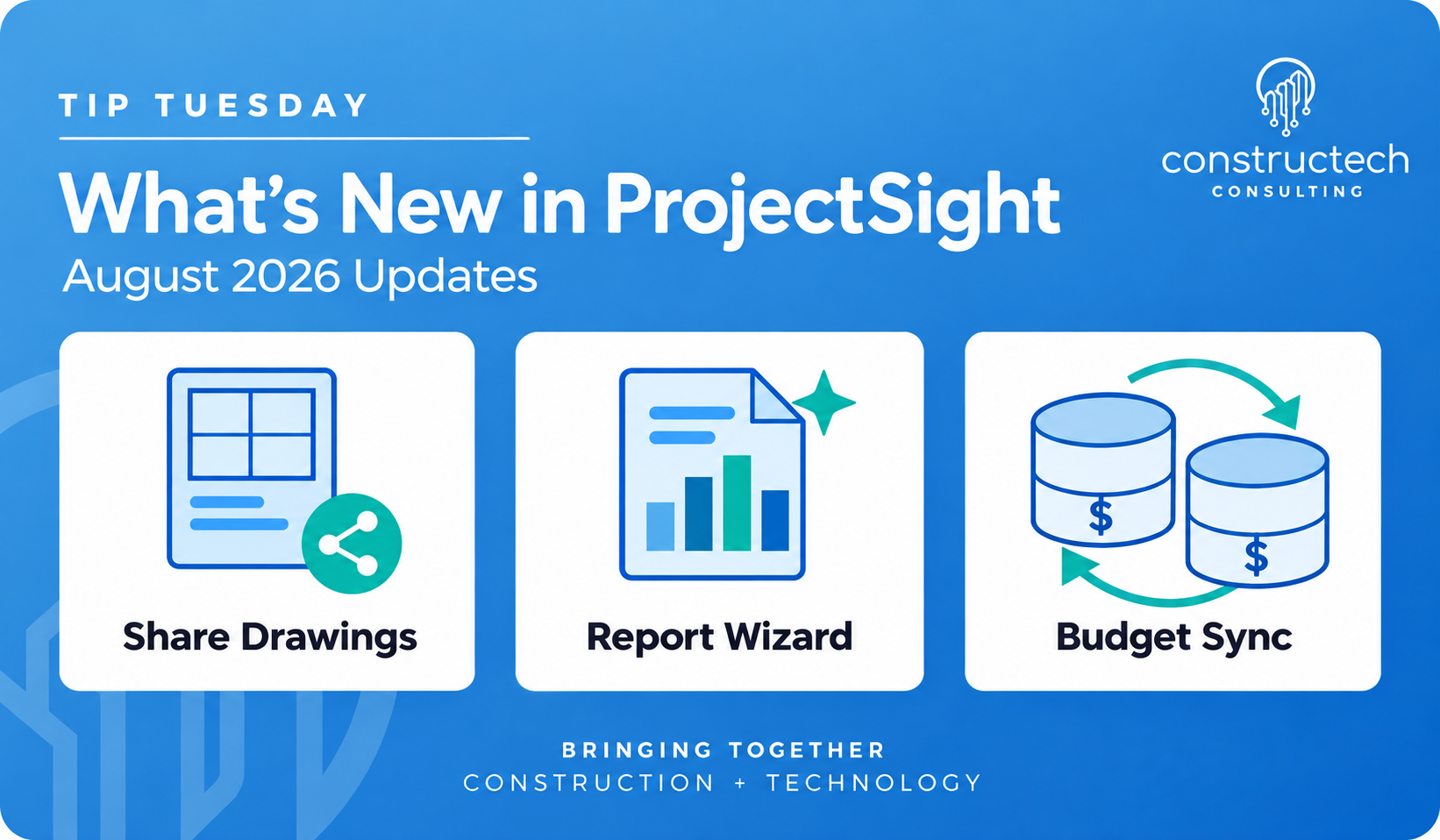

ProjectSight's August 2026 releases brought a handful of updates that make it easier to get the right information to the right people while retaining data accuracy, including a set of practical improvements to drawings, reporting and accounting integrations that teams will feel in their day-to-day work. In this post, we'll walk through the highlights and what they mean for your projects.
Share drawings straight from the source
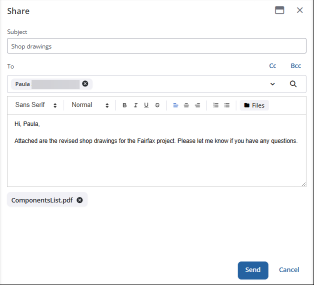
Sharing drawings used to mean downloading files and building emails from scratch. Now, users with drawing view permissions can share drawings directly from the tile or list view, or right from the drawing viewer. The new share dialog lets you send email notifications to project contacts, write a custom subject line and message, and attach extra files from the File library. Each notification includes direct links to the selected drawings along with revision details, so recipients always know which version they're looking at. And every sent message is automatically recorded in the sharing log, giving you a clear paper trail. (This feature applies to the Enterprise and Go versions.)
A cleaner report wizard
ProjectSight also modernized the report wizard used to create, email and export project reports. Your existing report templates, multi-project selections and file options all carry over, but the updated design also warns you automatically when an email attachment tops 10 MB, so large reports won't fall through the cracks.
Keeping budgets in sync with Vista and Spectrum
For teams running Vista, ProjectSight now offers bi-directional integration support for original budget values. If your accounting team edits original budget, quantity or hour figures in Vista or Spectrum after the ProjectSight project is linked, this feature helps keep those numbers aligned across both systems, eliminating any worry about double counting. It isn't turned on by default, so you'll need to contact ProjectSight support services to enable it.
August also included a long list of fixes, from drawing sets saving as expected to submittal revisions staying in order when sorted by number. Taken together, these updates are about less friction and fewer workarounds for both the office and the field. If you have any questions about putting these new features to work on your projects, please visit our website – ConstrucTech Consulting – and Book a Call with one of our consultants.
ProjectSight's August 2026 releases brought a handful of updates that make it easier to get the right information to the right people while retaining data accuracy, including a set of practical improvements to drawings, reporting and accounting integrations that teams will feel in their day-to-day work. In this post, we'll walk through the highlights and what they mean for your projects.
Share drawings straight from the source
Sharing drawings used to mean downloading files and building emails from scratch. Now, users with drawing view permissions can share drawings directly from the tile or list view, or right from the drawing viewer. The new share dialog lets you send email notifications to project contacts, write a custom subject line and message, and attach extra files from the File library. Each notification includes direct links to the selected drawings along with revision details, so recipients always know which version they're looking at. And every sent message is automatically recorded in the sharing log, giving you a clear paper trail. (This feature applies to the Enterprise and Go versions.)
A cleaner report wizard
ProjectSight also modernized the report wizard used to create, email and export project reports. Your existing report templates, multi-project selections and file options all carry over, but the updated design also warns you automatically when an email attachment tops 10 MB, so large reports won't fall through the cracks.
Keeping budgets in sync with Vista and Spectrum
For teams running Vista, ProjectSight now offers bi-directional integration support for original budget values. If your accounting team edits original budget, quantity or hour figures in Vista or Spectrum after the ProjectSight project is linked, this feature helps keep those numbers aligned across both systems, eliminating any worry about double counting. It isn't turned on by default, so you'll need to contact ProjectSight support services to enable it.
August also included a long list of fixes, from drawing sets saving as expected to submittal revisions staying in order when sorted by number. Taken together, these updates are about less friction and fewer workarounds for both the office and the field. If you have any questions about putting these new features to work on your projects, please visit our website – ConstrucTech Consulting – and Book a Call with one of our consultants.
ProjectSight's August 2026 releases brought a handful of updates that make it easier to get the right information to the right people while retaining data accuracy, including a set of practical improvements to drawings, reporting and accounting integrations that teams will feel in their day-to-day work. In this post, we'll walk through the highlights and what they mean for your projects.
Share drawings straight from the source
Sharing drawings used to mean downloading files and building emails from scratch. Now, users with drawing view permissions can share drawings directly from the tile or list view, or right from the drawing viewer. The new share dialog lets you send email notifications to project contacts, write a custom subject line and message, and attach extra files from the File library. Each notification includes direct links to the selected drawings along with revision details, so recipients always know which version they're looking at. And every sent message is automatically recorded in the sharing log, giving you a clear paper trail. (This feature applies to the Enterprise and Go versions.)
A cleaner report wizard
ProjectSight also modernized the report wizard used to create, email and export project reports. Your existing report templates, multi-project selections and file options all carry over, but the updated design also warns you automatically when an email attachment tops 10 MB, so large reports won't fall through the cracks.
Keeping budgets in sync with Vista and Spectrum
For teams running Vista, ProjectSight now offers bi-directional integration support for original budget values. If your accounting team edits original budget, quantity or hour figures in Vista or Spectrum after the ProjectSight project is linked, this feature helps keep those numbers aligned across both systems, eliminating any worry about double counting. It isn't turned on by default, so you'll need to contact ProjectSight support services to enable it.
August also included a long list of fixes, from drawing sets saving as expected to submittal revisions staying in order when sorted by number. Taken together, these updates are about less friction and fewer workarounds for both the office and the field. If you have any questions about putting these new features to work on your projects, please visit our website – ConstrucTech Consulting – and Book a Call with one of our consultants.


Get Started
Take your construction company to the next level. Schedule your initial free consultation and analysis.